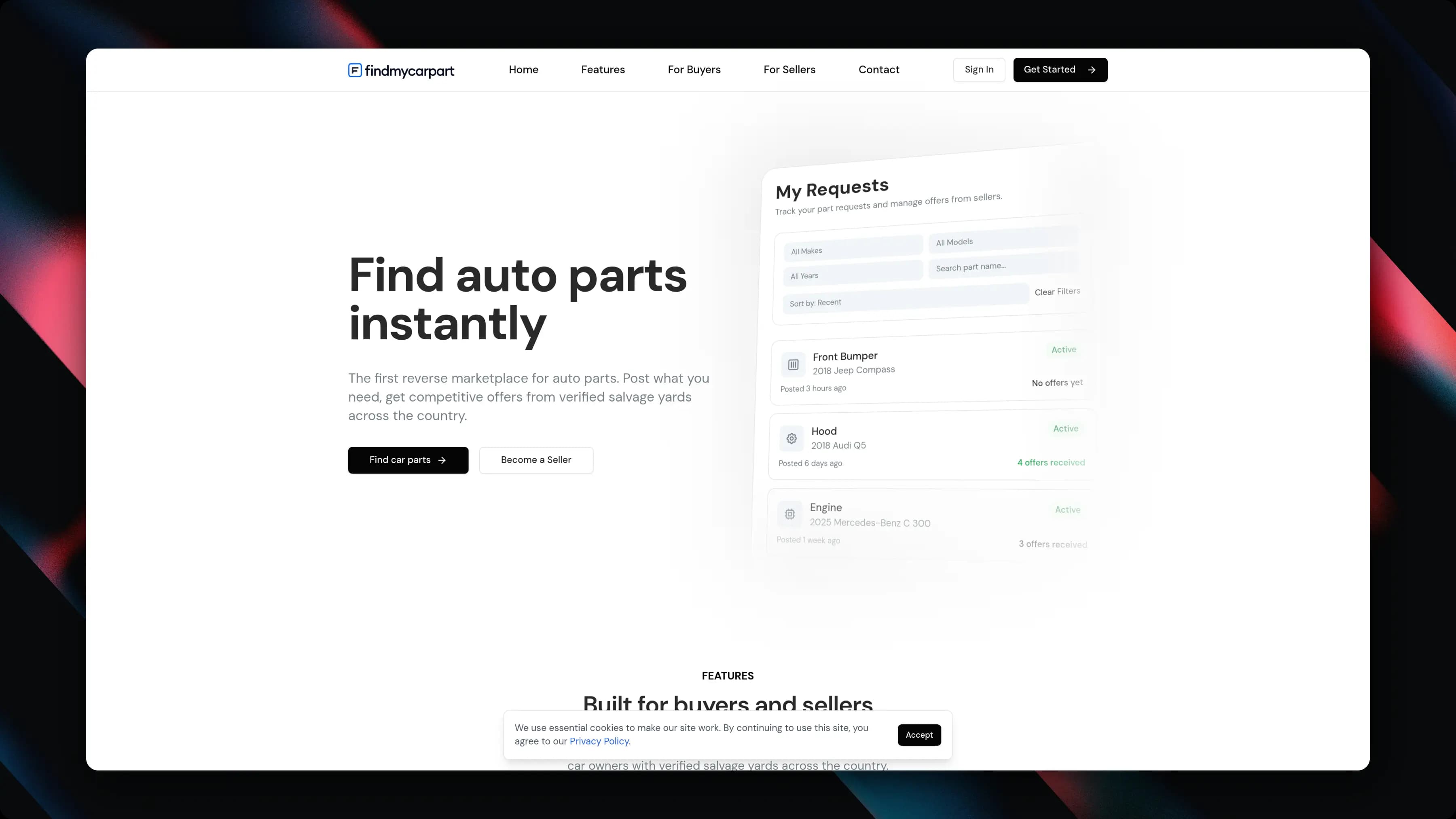
A production reverse marketplace for used auto parts: car owners describe the part they need once, relevant salvage yards compete with structured offers, and the buyer compares them in one place. Built in seven weeks.
This case study focuses on the delivery constraints, product choices, and workflow decisions that shaped the build.
Model
Two-sided reverse marketplace
Timeline
7 weeks
Status
Live production product
ClientFindmycarpart
Service ProvidedProduct Strategy, Marketplace Architecture, Full-Stack Development, Production Launch
Year2026
About Findmycarpart.
The Goal
Remove the repetitive work between two sides that already find each other the hard way. Buyers already call yard after yard for the same part; yards already answer inbound demand. The product had to make buyer demand itself the inventory query.
The Challenge
It was really two products sharing one transaction. Buyers want the shortest path from I need this part to I have several realistic options; suppliers need enough context to decide whether answering is worth the time, usually from a phone in a yard.
The Result
A production marketplace in seven weeks — not a clickable prototype. The buyer-to-supplier transaction works as one system: vehicle, request, matching, offers, comparison, resolution.
Inside the Marketplace.
Finding a used OEM part sounds simple until someone actually has to do it. A buyer may know the vehicle, the damaged part, and roughly what they need — but availability is fragmented across independent salvage yards, inventories change constantly, terminology is inconsistent, and the useful answer is buried behind phone calls, photos, part numbers, fitment questions, and shipping quotes.
Findmycarpart reverses that process. Instead of asking buyers to search yard by yard, the product lets them describe the need once; relevant suppliers receive the request and compete with offers. Shipkit took that transaction model and turned it into a production marketplace in seven weeks.
Buyer Demand Becomes the Inventory Query
The business idea was strong because it matched how the market already behaves. The opportunity was not to invent a new behaviour — it was to remove the repetitive work between two sides that already deal with each other.
A conventional marketplace would have required every supplier to maintain a complete, constantly updated public catalogue of used parts. For salvage inventory, that becomes expensive and stale quickly. We chose the opposite model: a customer creates one structured request, the platform identifies the vehicle and the requested component, routes the opportunity to relevant suppliers, and collects competing offers back into one comparison flow.
That became the transactional spine of the product — vehicle, request, matching, offers, comparison, resolution — and everything else was designed around making that loop fast and reliable.
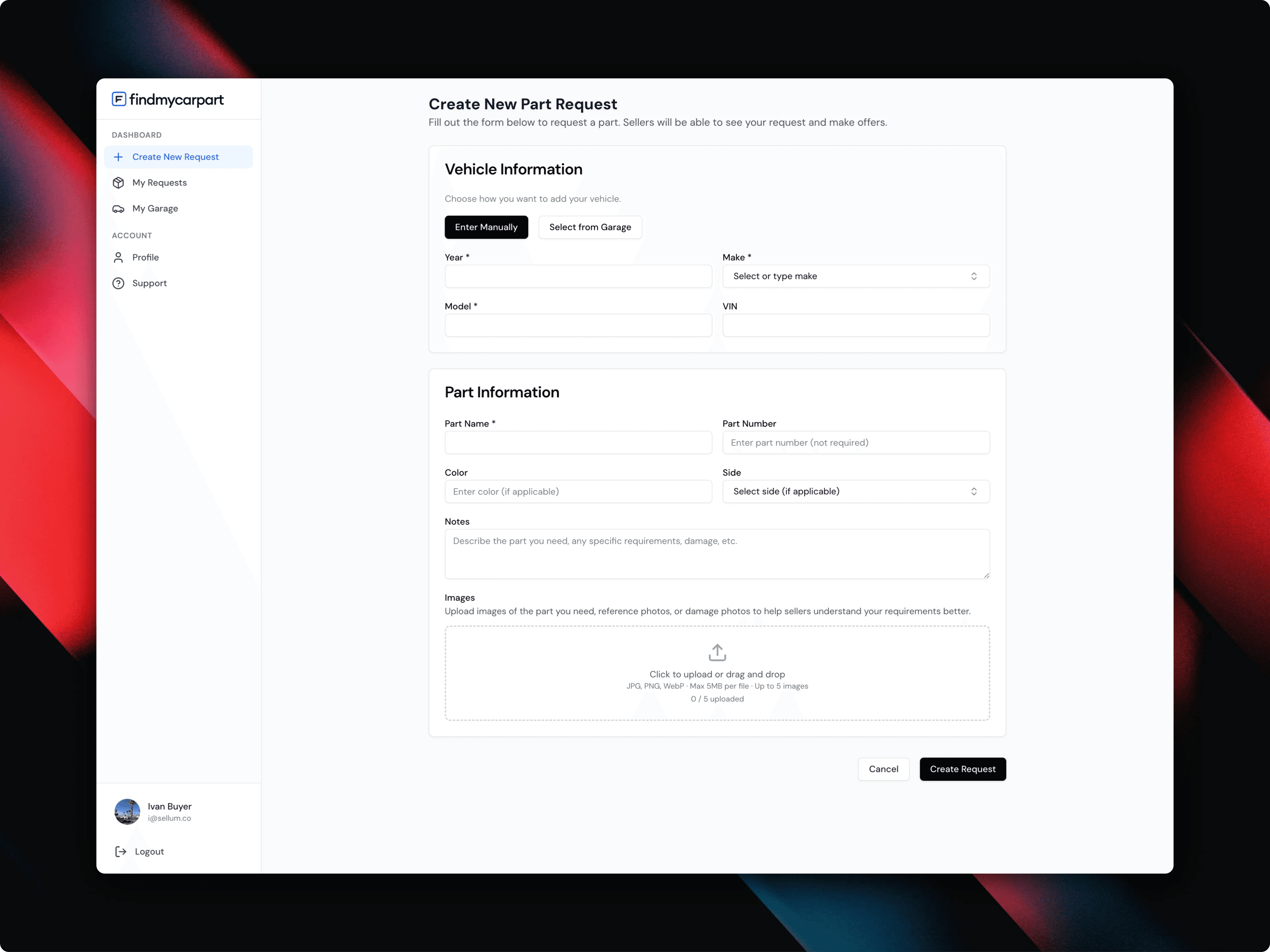
One structured request replaces a round of phone calls — vehicle, part details, preferences, and reference images.
Two Products Sharing One Transaction
The buyer and the supplier use Findmycarpart for completely different reasons. The buyer wants the shortest possible path from needing a part to having several realistic options. The supplier wants to know quickly what vehicle this is, what part is needed, whether the request is relevant, what condition or colour matters, where the buyer is, and whether responding is worth the time.
Trying to reuse one interface for both sides would have made both experiences worse. We designed separate buyer and supplier workflows on top of the same request and offer model: the data is shared, the interaction model is not.
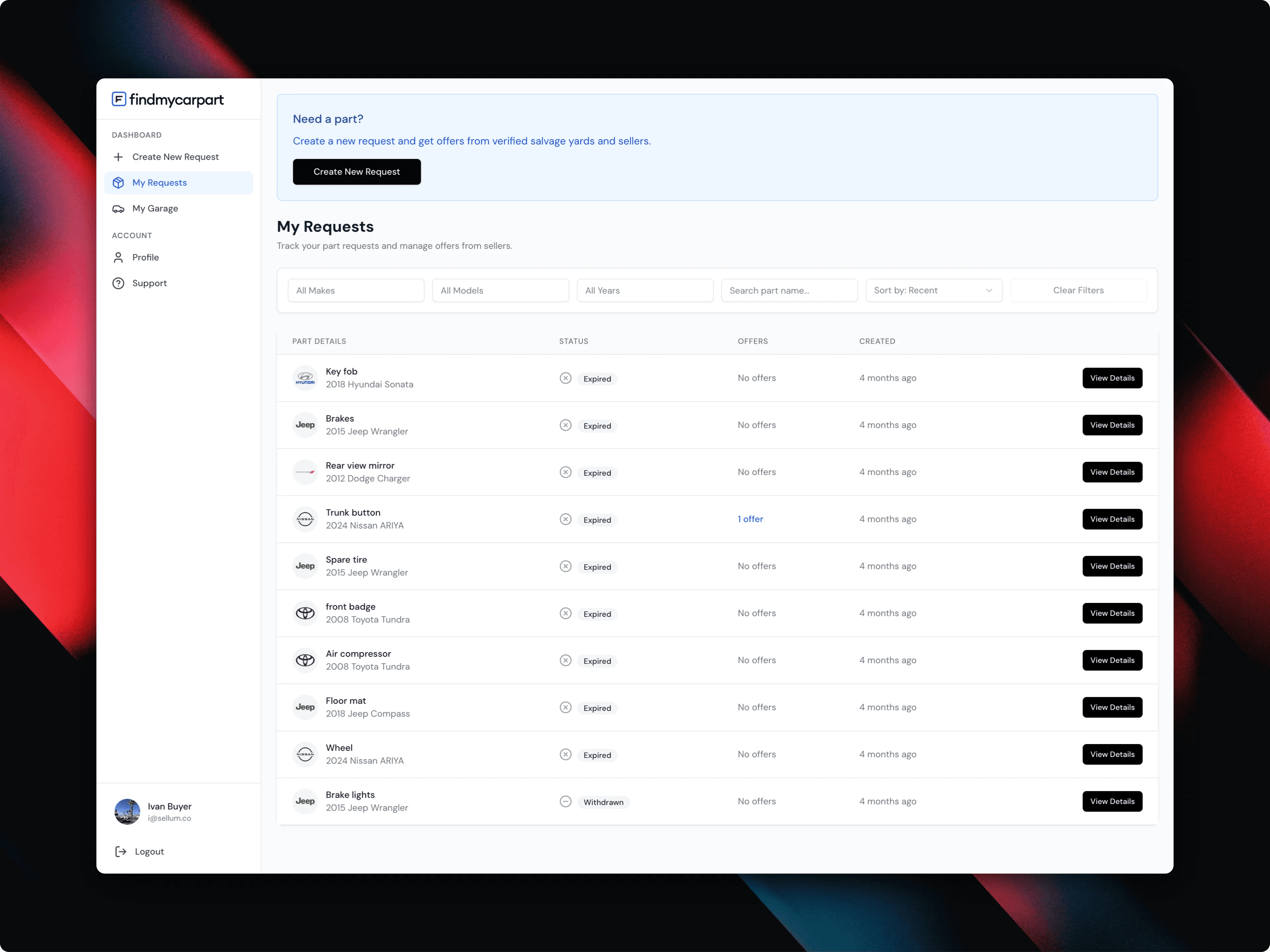
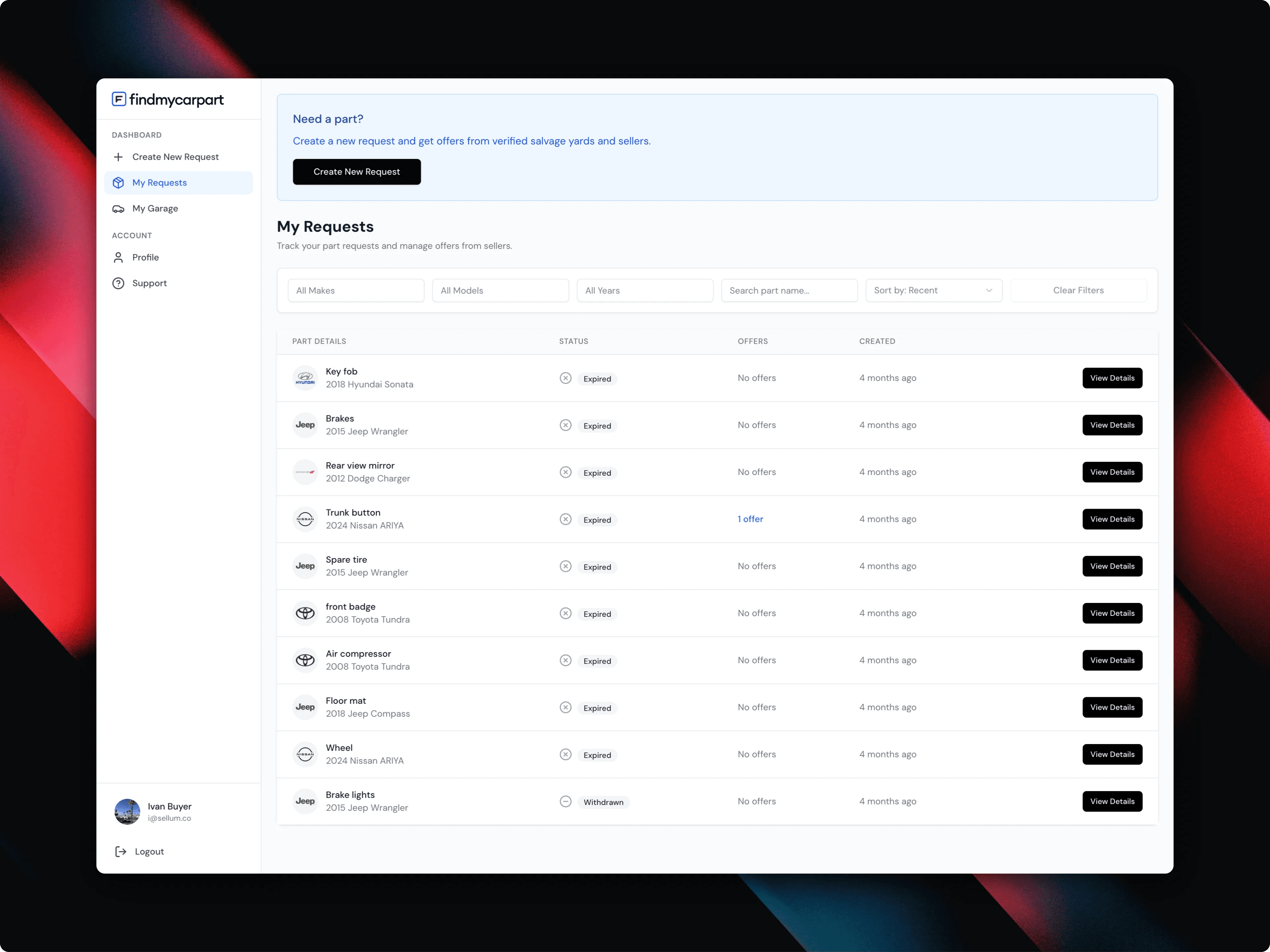
The buyer's half of the transaction — requests, statuses, and how many suppliers have answered.
Vehicle Identity as a First-Class Entity
A marketplace for auto parts cannot treat a car as a free-text label. A model name is useful to a person, but the product also needs structured vehicle identity so the same car stays coherent across the buyer's garage, request creation, saved requests, supplier matching, offer review, and VIN-decoded information.
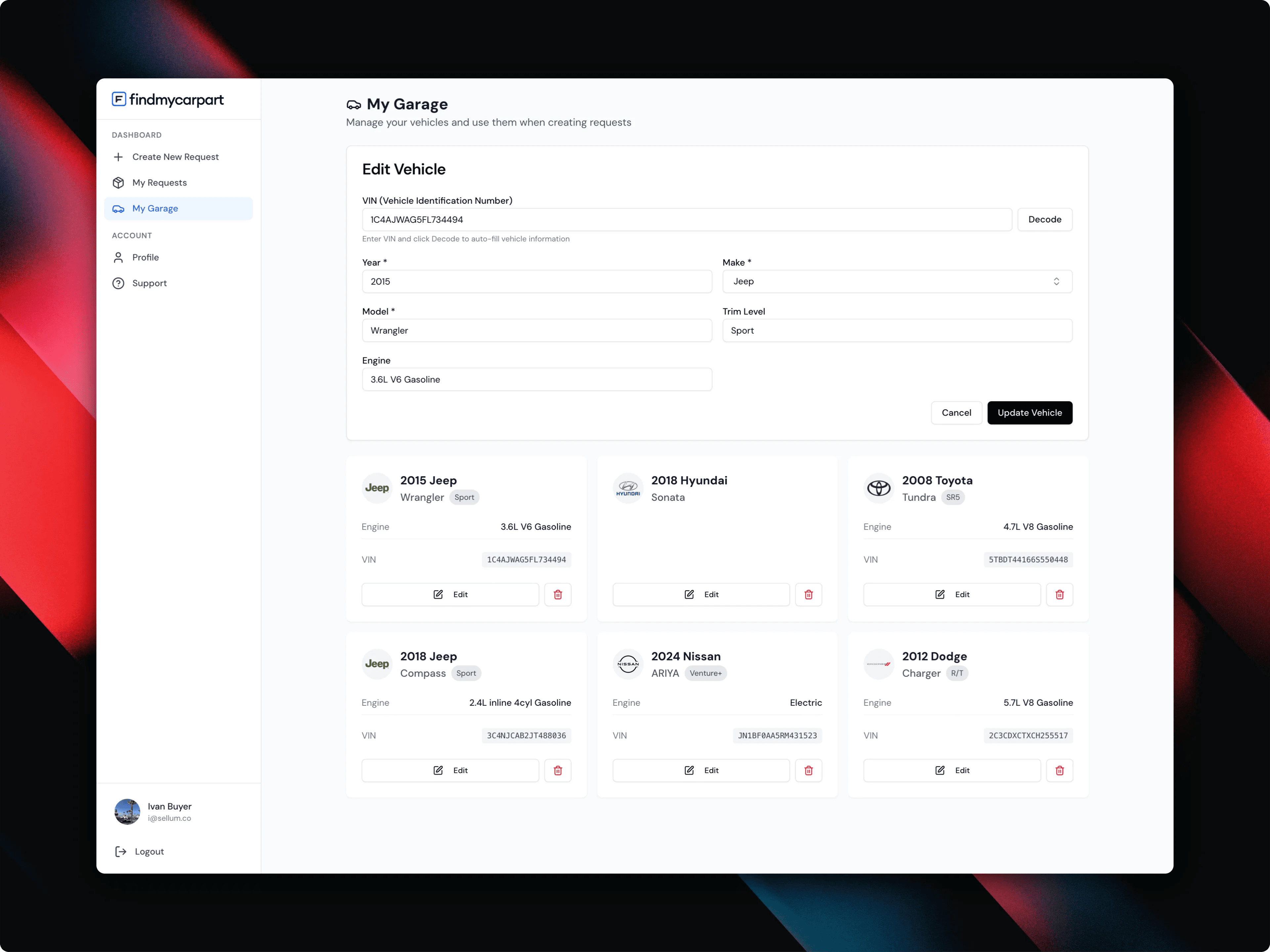
We therefore treated the vehicle as a first-class entity rather than a group of form fields copied from screen to screen. VIN decoding can populate known vehicle data, while manual entry remains available when VIN data is unavailable or unnecessary. That reduced repeated input and made future fitment logic possible without rebuilding the core model.
The vehicle is a record, not a set of form fields — VIN decoding fills it in, manual entry stays available.
Request State Is More Than Open or Closed
A real request changes over time. It can be newly created, active, receiving offers, expired, renewed, withdrawn, or resolved — and it can hold views and multiple offers while still remaining active.
Those details matter because lifecycle bugs in marketplaces are expensive: sellers respond to stale opportunities, buyers see incorrect actions, notifications fire at the wrong time, or renewed requests become disconnected from their previous activity. We modelled the lifecycle explicitly and gave requests a defined expiration window with a simple renewal path, rather than letting old requests stay active forever.
Offers Had to Be Comparable, Not Merely Readable
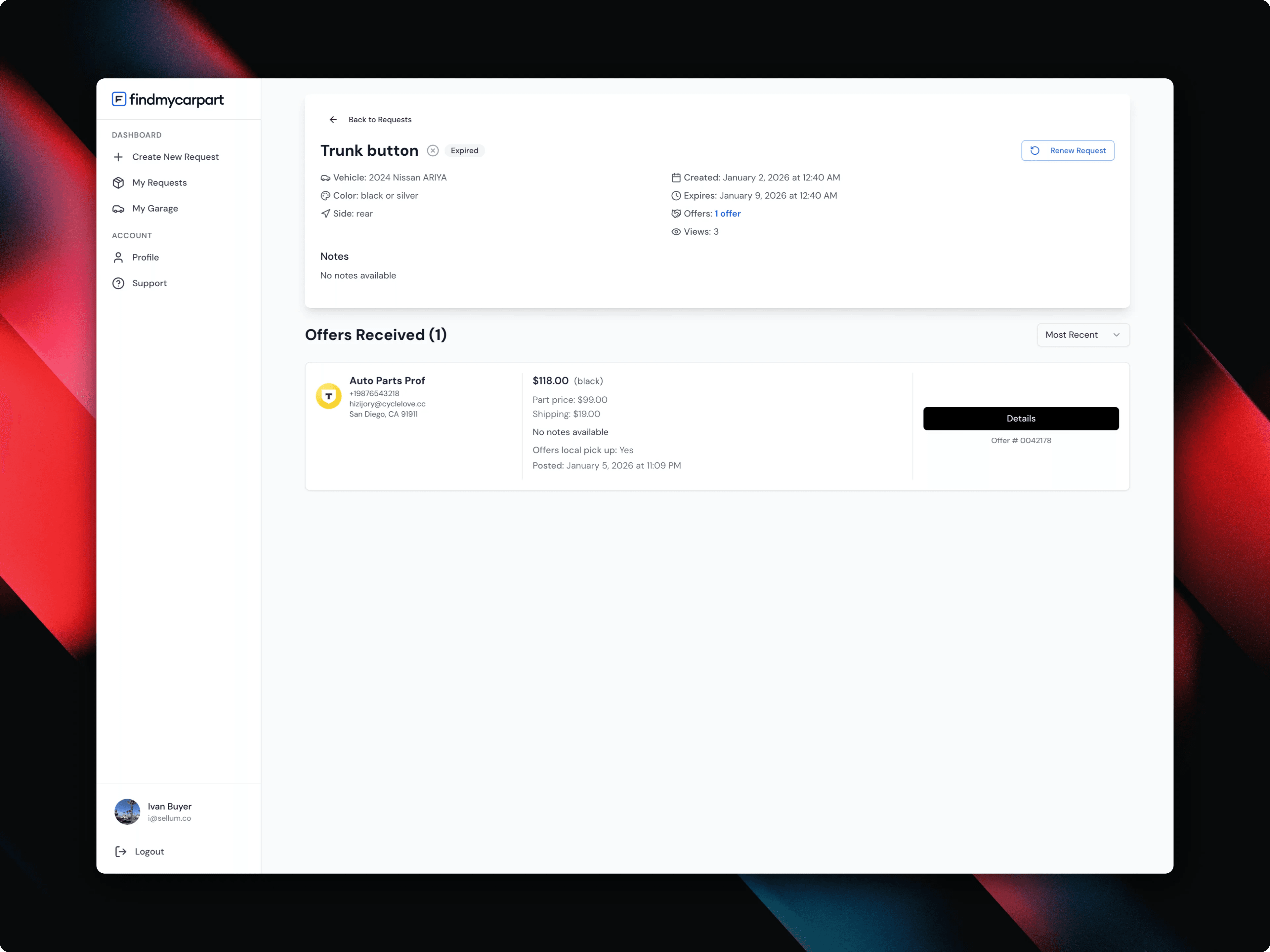
Receiving five messages from five sellers does not automatically create a marketplace. The product had to normalise an offer into information a buyer could compare: seller, location, part price, shipping, condition, colour, pickup availability, and contact details.
That sounds like UI work, but it is primarily a data-model decision. Once those fields are structured, the interface can make the decision easier instead of becoming another inbox.
A structured offer — seller, location, price broken into part and shipping, condition, and pickup.
The Supplier Answers From a Phone
A supplier is not necessarily sitting at a desk. Someone may see a request while moving through a yard, checking a vehicle, or answering customers from a phone.
That pushed us toward short supplier flows, large actionable controls, clear vehicle context, and image-first information rather than dense back-office forms. Desktop and mobile could not be treated as the same layout at different widths.
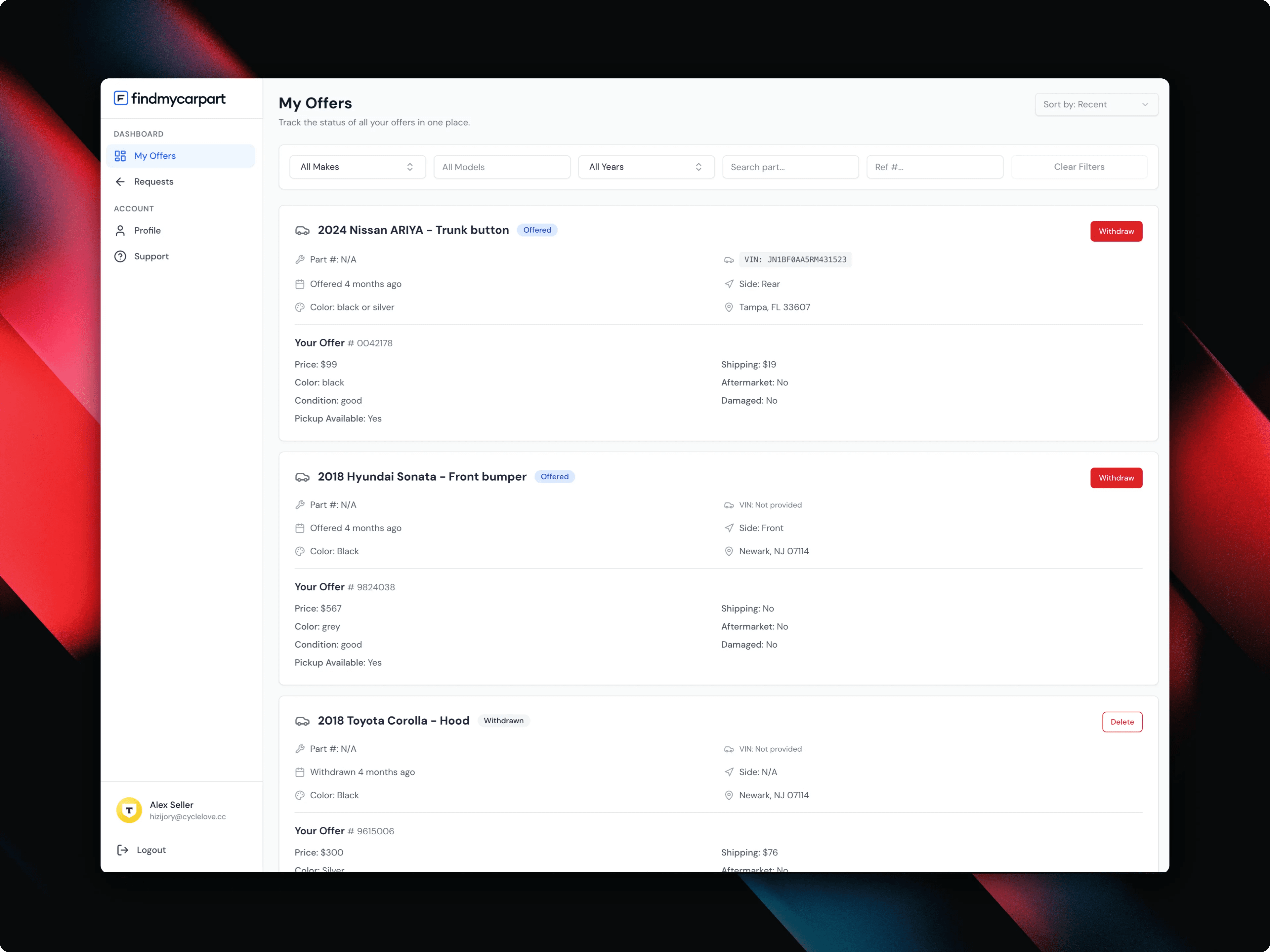
The supplier side — offers a yard has made, with the vehicle and part context that made them worth making.
Matching That Is Useful Without Becoming Noisy
The fastest way to ruin the supplier side of a marketplace is to send every request to everyone. The platform therefore needed enough structure around vehicle, part, location, and supplier context to make matching useful.
The product was designed so matching can become progressively smarter without changing the buyer's basic behaviour: the buyer still posts once, while the system improves which suppliers receive the opportunity.
Not Overbuilding the First Transaction
One of the most important decisions in a marketplace MVP is what not to put between the two sides. For the first production version, the core value was matching demand with supply and making offers easy to compare — more important than turning the initial release into a commerce platform with every possible downstream workflow.
The architecture was built around a clean marketplace core that can later support additional transaction layers without replacing the request-and-offer model. That kept the first release focused while preserving room for growth.
What We Built
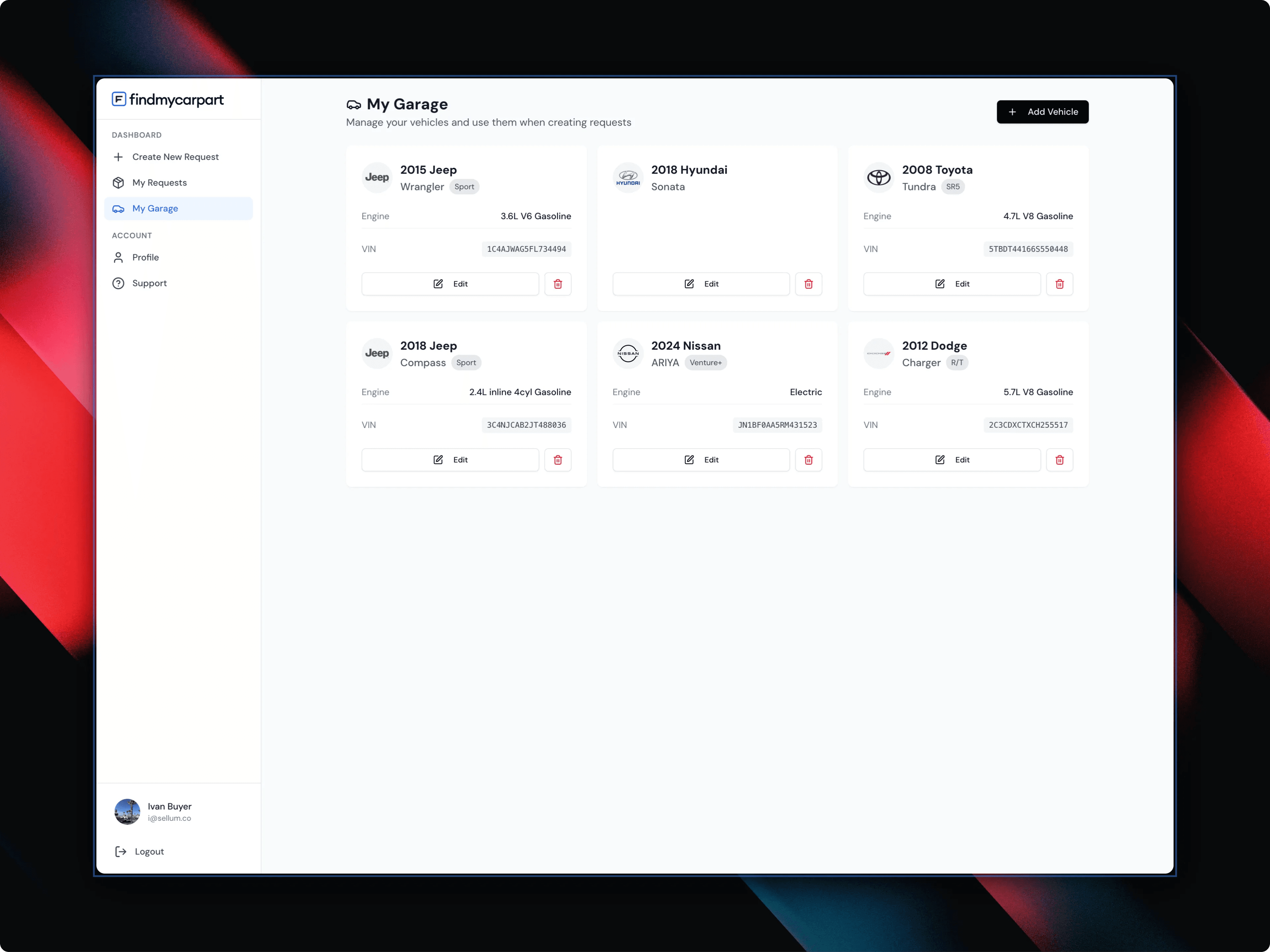
On the buyer side: an account dashboard, a saved vehicle garage, VIN-assisted vehicle creation, structured part requests with part number, side, colour and notes, multiple image uploads, request status and activity, expiration and renewal, offer comparison, and seller and location information. The request form was deliberately kept lightweight despite the amount of structured information behind it.
On the supplier side: incoming relevant requests, vehicle and part context, request images, offer creation with price and shipping, part condition and colour, offer history, and supplier identity. The goal was to let a yard respond without recreating the buyer's entire request by hand.
Behind both: buyer and seller identities, vehicle records, request records and states, request media, supplier matching, offers and offer ownership, location data, lifecycle rules, timestamps and activity, and role-aware access control. This is the part users rarely see, and it determines whether the product stays maintainable as activity grows.
The garage — save a vehicle once, reuse it on every future request instead of retyping it.
How We Organised the Seven-Week Build
The project was delivered as a sequence of usable vertical slices rather than building the entire frontend first and connecting the backend later. We defined the marketplace entities, roles, request lifecycle and the minimum transaction that had to work end to end; then vehicle management and request creation; then the other half of the transaction, request discovery and structured offers.
Expiration, renewal, offer states, request activity, location context and permission boundaries were added around that core loop. The final stage focused on responsive behaviour, edge cases, media handling, validation, and the transition from a development flow to a production product.
By launch, the platform was not a clickable marketplace prototype. The core buyer-to-supplier transaction was working as one system.
Tech Stack
A Next.js and React frontend over a Node.js and PostgreSQL backend, with responsive buyer and supplier interfaces built as separate workflows on one shared data model. The backend carries role-aware access, request and offer lifecycle logic, structured vehicle records, VIN decoding, and image storage and upload workflows.
If you are scoping a marketplace, customer portal, or workflow-heavy MVP, start with the smallest transaction that proves the business works. Then estimate the cost, compare custom code against no-code, and decide which features belong in version one.
Why a reverse marketplace instead of a conventional catalogue?
Because a conventional marketplace would require every salvage yard to maintain a complete, constantly updated public catalogue of used parts — which is expensive to keep and stale almost immediately. Making buyer demand the inventory query inverts that: the buyer describes the need once, and suppliers answer only the requests they can actually fill.
What is genuinely hard about a two-sided product?
A founder can describe it in one sentence — users post requests and sellers send offers. The production version requires decisions about identity, states, permissions, timing, matching, media, mobile behaviour, expired data, duplicated actions, and what each side is allowed to see. That is where most of the product thinking went.
Why treat the vehicle as an entity rather than form fields?
Because the same car has to stay coherent across the garage, request creation, saved requests, supplier matching, offer review, and VIN-decoded data. Copying year, make and model from screen to screen works until any one of those places needs to reason about the vehicle — and then fitment logic means rebuilding the core model instead of extending it.
Can Shipkit build a similar fixed-scope product?
Yes. Shipkit builds fixed-scope MVPs for non-technical founders, including marketplaces, internal tools, SaaS products, and AI-enabled workflows. The fastest next step is to estimate the budget, then use the scope builder to decide what belongs in version one.