Best Client Portals for Agencies: Features, Tools & Implementation Guide
Alex
··12 min read
Quick Answer: A client portal for agencies is a centralized platform where clients access project updates, deliverables, timelines, and communicate with your team—eliminating email chaos and improving transparency. According to market research, the client portal software market reached $9.26 billion in 2025 and is expanding at 9.33% annually. Agencies are adopting portals at scale because they reduce administrative overhead, strengthen client relationships, and create a professional touchpoint that justifies service fees.
Client portals have shifted from a nice-to-have luxury to table stakes in service delivery. When 64% of professional service firms have already integrated them into workflows, prospects expect you to offer one. The real value isn't just convenience—it's operational efficiency. A portal eliminates the constant "Can you send me an update?" Slack messages, reduces scope creep by documenting what's in and out of scope, and gives clients visibility they crave without demanding your team's constant attention.
What features should a client portal have depends on your agency type, but the fundamentals remain consistent: secure file sharing, real-time project status tracking, time and expense logging, and integrated messaging. Beyond those essentials, portals serve a strategic purpose: they're your first line of defense against client churn. When clients can see progress, understand timelines, and feel heard, retention improves measurably.
This guide walks you through the decision factors that matter—feature sets, integration capabilities, implementation complexity, and total cost of ownership. Whether you're a small design shop or a larger development agency, choosing the right portal shapes how smoothly your client relationships operate.
Core Problems a Client Portal Solves for Service Agencies
Service agencies face a predictable set of operational friction points that compound as they grow. These aren't theoretical inconveniences—they directly erode margins, slow delivery, and damage client relationships. A well-designed client portal addresses each one systematically.
Communication Fragmentation and Approval Bottlenecks
Client feedback arrives everywhere except where it should. A design revision request lands in email. A budget question appears in Slack. A stakeholder approval happens in a meeting no one documented. Your team spends cycles hunting for context, re-explaining decisions, and re-requesting approvals that were already given verbally but never formally recorded.
According to research from Teamcamp, client communication often consumes 40–60% of project management time at agencies. That's not status updates—that's the operational tax of scattered conversations. When approvals live in email threads, version control becomes a nightmare. Which mockup did the client actually approve? Was that feedback from the decision-maker or a stakeholder who doesn't have final say? A centralized portal eliminates this ambiguity. Every comment, approval, and revision request exists in one place with timestamps and ownership. Clients see exactly what's in scope, what's pending their input, and what's already been signed off. The approval bottleneck dissolves because there's nowhere for requests to hide.
Scaling Client Management Without Losing Quality
At five simultaneous clients, manual communication processes still work. At fifteen, they break. Your team can't maintain the same level of responsiveness, documentation rigor, or transparency across that many parallel conversations without a system. Emails get missed. Status updates become inconsistent. Some clients feel heard; others feel abandoned.
A client portal scales your capacity without scaling your headcount. It provides consistent visibility to every client simultaneously—the same project dashboard, the same file repository, the same messaging thread. Whether you're managing three projects or thirty, the operational structure remains identical. This consistency is what separates agencies that retain clients from those that hemorrhage them. When clients can self-serve basic information (timelines, deliverables, file history), your team reclaims hours per week for actual delivery work rather than answering the same questions repeatedly. As you grow, the portal becomes your operational backbone—the single source of truth that prevents quality from degrading as complexity increases.
Essential Features Every Agency Client Portal Must Have
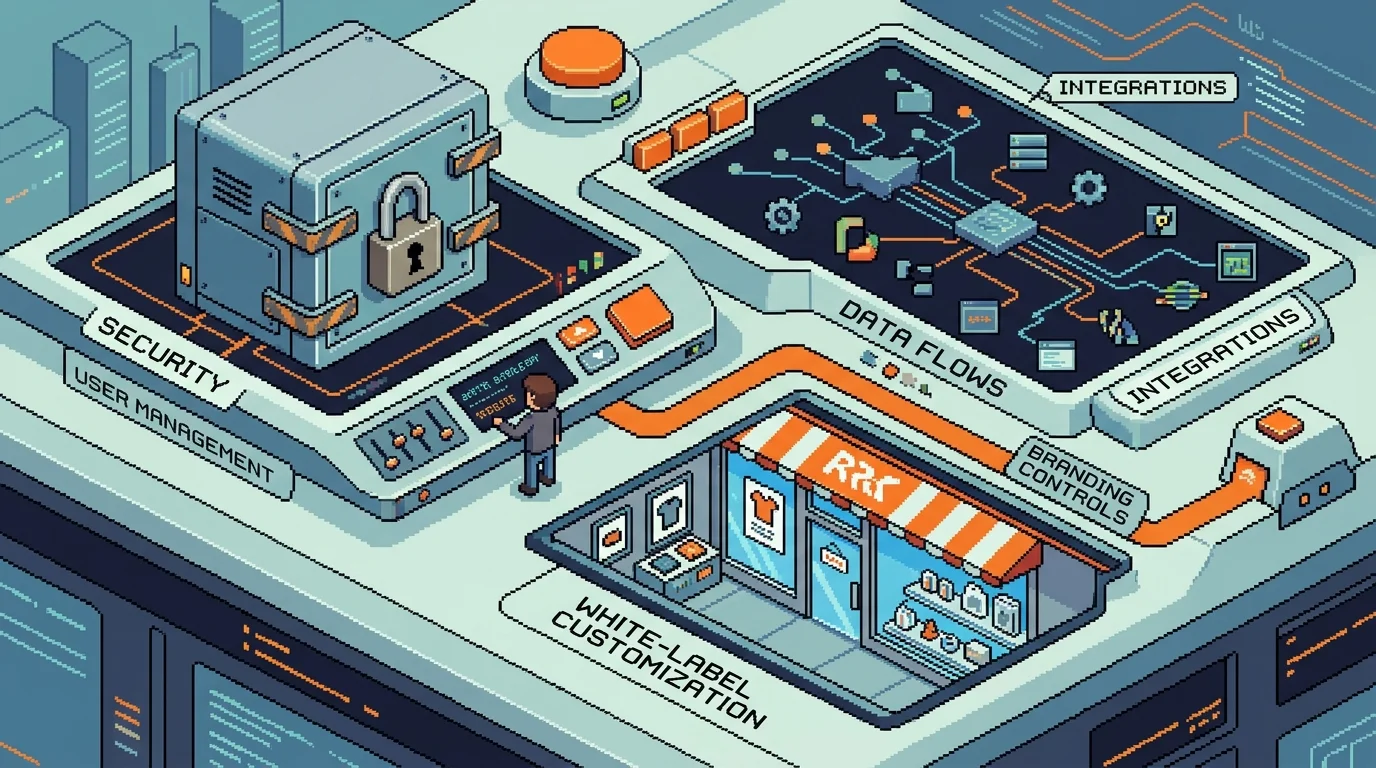
An effective client portal isn't a generic file-sharing tool—it's a purpose-built system that eliminates communication friction, centralizes project information, and enforces accountability across both agency and client teams. The features that matter most fall into three operational categories: communication and collaboration, administrative control, and security infrastructure. Each serves a specific workflow need that directly impacts client satisfaction and team efficiency.
Customization and White-Label Capabilities
Your clients don't want to see your agency's logo alongside three competitors' branding in their project dashboard. A white-label portal—one that displays the client's own branding, colors, and domain—reinforces their perception that they're working with a premium, dedicated partner rather than a generic SaaS tool. This matters psychologically and operationally. When clients log into a portal branded with their company identity, they perceive higher professionalism and exclusivity. For agencies managing multiple simultaneous clients, white-label capabilities also prevent confusion: each client sees their own branded experience, reducing support tickets and improving perceived service quality.
Customization extends beyond aesthetics. The ability to adjust workflows, hide irrelevant features, and configure which information displays on the dashboard means your portal scales with your agency's service model. A design agency might emphasize asset galleries and approval workflows, while a development agency prioritizes sprint tracking and deployment logs. One portal shouldn't force the same interface on every client type.
Permission Controls and Data Security
Not every team member should see every file. A junior designer shouldn't access financial contracts; a client stakeholder shouldn't modify project timelines. Granular role-based access control (RBAC) ensures each user sees exactly what they need—nothing more, nothing less. This protects intellectual property, prevents accidental overwrites, and maintains clear accountability. When someone changes a deliverable or approves a milestone, the portal logs who did it and when.
Security goes deeper than permissions. Encryption in transit (HTTPS) and at rest protects sensitive data. Compliance certifications—SOC 2, GDPR, HIPAA if relevant—matter when clients handle regulated information. Two-factor authentication adds another layer, especially for accounts with elevated permissions. A secure document portal for clients must also include audit trails: complete records of who accessed what, when, and from where. This isn't just defensive; it's proof that you take client data seriously.
Integration Ecosystem
Manual data entry between tools is a silent killer of agency productivity. Your project management system holds timelines, but the portal displays stale information. Your design tool has the latest assets, but clients download outdated files from the portal. Real-time integrations eliminate this friction. Syncing with Stripe ensures payment status updates automatically. Slack integrations notify your team when clients upload files or post messages. Connections to design tools (Figma, Adobe Creative Cloud) and project management platforms (Asana, Monday.com) keep information synchronized without human intervention.
The cost of manual updates compounds quickly. One team member spending 30 minutes daily moving files between systems adds up to 130 hours per year—hours that could go toward actual delivery work. Integrations also reduce errors: automated workflows don't misfile documents or forget to notify stakeholders.
Feature Category
Why It Matters
Real Impact
White-label branding
Client perception of professionalism and exclusivity
Eliminates manual data entry, keeps systems synchronized
5-10 hours reclaimed per team member weekly
What Client Portal Software Includes at Each Tier
Client portal software spans a wide range, and the tiers differ less in feature count than in how far they will bend to your process.
Bundled portals arrive as a module inside something you already pay for — a CRM, a practice management suite, an accounting package. Cheapest and fastest to switch on, and shaped entirely by the parent product.
Standalone portal products do one job configurably: client login, file exchange, approvals, invoices, messaging. This is where most agencies land, and where the best client portal software competes on permissions and white-labelling rather than on features.
No-code builders put a portal in front of a database you control. More setup, more control, and the freedom to change the data model later without filing a feature request.
The question separating these is not price. It is whether your client-facing process is standard. If every client sees the same five things in the same order, buy. If what the client sees changes by service line, or onboarding has steps no vendor models, configuration will run out before your requirements do.
Custom Portal vs. Off-the-Shelf Software: Which Approach Wins
The decision between building a custom client portal and adopting off-the-shelf software hinges on three variables: your agency's workflow uniqueness, client volume, and growth timeline. Both paths have legitimate merit—the wrong choice simply costs more money and operational friction down the line.
Pre-Built Platform Trade-Offs
Off-the-shelf solutions like Moxo, Accelo, and Monday.com launch fast. You're operational in days, not months. Setup costs range from $1,000 to $100,000 depending on the platform, and monthly subscriptions keep initial capital requirements low. For agencies with standard workflows—design handoffs, status updates, file sharing—these platforms work adequately.
The catch emerges after 6–12 months. You'll discover that according to research from Netguru, 85–90% of off-the-shelf features go unused because they're designed for generic use cases, not your specific processes. Your team adapts to the software's logic rather than the software adapting to yours. Vendor lock-in becomes real: switching platforms later means migrating years of client data, retraining staff, and losing customizations you've cobbled together. Subscription fees compound silently—$500/month × 12 months × 5 years = $30,000 spent on a tool you've outgrown.
Custom Development: When It Pays Off
Custom portals make financial sense when your agency operates with proprietary workflows, serves high-volume clients, or requires white-label branding that positions the portal as your own product. Custom development typically ranges from 4–6 months for standard solutions, though complexity can extend timelines. Upfront costs run $100,000–$400,000, but according to Full Scale's cost analysis, custom software achieves lower total cost of ownership after 30 months compared to subscription-based alternatives.
The real advantage: you own the code and infrastructure from day one. No vendor dependency. You integrate exactly what matters—your payment processor, your design tools, your reporting logic. A custom portal built in 4 weeks positions you to scale without architectural constraints. For agencies planning to operate for 5+ years or seeking to differentiate through client experience, custom development pays dividends.
Factor
Off-the-Shelf
Custom Build
Time to launch
1–2 weeks
4–6 months
Upfront cost
$1,000–$100,000
$100,000–$400,000
Monthly fees
$500–$5,000+
None (hosting only)
Customization
Limited
Unlimited
Vendor lock-in
High
None
Code ownership
Platform owns it
You own it
5-year total cost
$30,000–$300,000+
$100,000–$400,000
Choose off-the-shelf if: You need a portal live in weeks, operate with standard workflows, and plan to evaluate in 2–3 years. Choose custom if: Your workflows are proprietary, white-label matters, or you're building a long-term competitive advantage. When deciding between hiring a technical co-founder versus outsourcing development, custom portals often fit the outsourced model—you get professional execution without equity dilution.
Implementation Roadmap: From Planning to Launch
Assessing Your Current Workflow and Client Needs
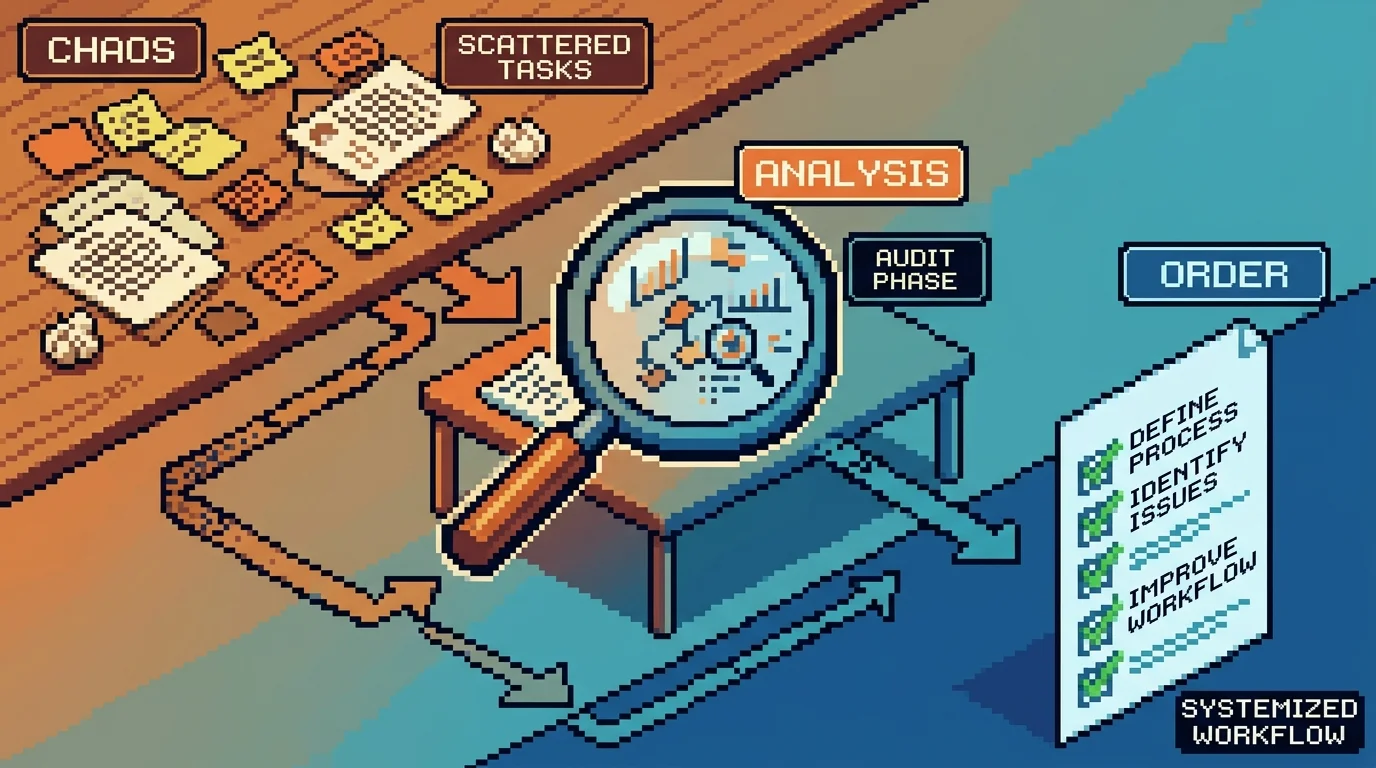
Begin by auditing how your agency currently handles communication, file sharing, and approvals. Map every touchpoint where friction occurs—excessive email threads, delayed feedback, or version confusion. Gather input from both clients and team members to identify pain points and define non-negotiable features for your portal. This foundational step ensures your solution aligns with real workflow demands, not assumptions.
Training and Change Management
Even the best-designed portal fails without adoption. Launch with a clear onboarding sequence: personalized walkthroughs for clients and hands-on training for staff. Assign internal champions to model usage and address resistance proactively. To measure success, track login frequency, average approval turnaround time, and client satisfaction scores—agencies using portals report eliminating 80% of routine status emails while improving client happiness.
For agencies considering a custom build, remember that self-service portals with integrated payment processing streamline billing and boost engagement—modern mobile-friendly designs see adoption rates as high as 80%, saving over 1,300 hours annually. Avoid over-customization early on; start with core functionality and iterate. For a deeper dive into building client-facing systems with payment automation, see our guide on building a customer portal for service businesses.
Pricing and ROI: What Client Portals Actually Cost
Client portal pricing varies dramatically based on deployment model and agency size. According to FuseBase and Agiled's 2026 analysis, entry-level SaaS solutions range from $19–30 per month, while agency-specific platforms span $0–$199 monthly depending on features and user limits. Small firms (1–20 staff) typically invest $30–$100 per user monthly or $500–$2,000 annually on flat-fee models, while mid-size agencies (20–100 staff) pay $75–$150 per user monthly or $5,000–$15,000 in tiered packages.
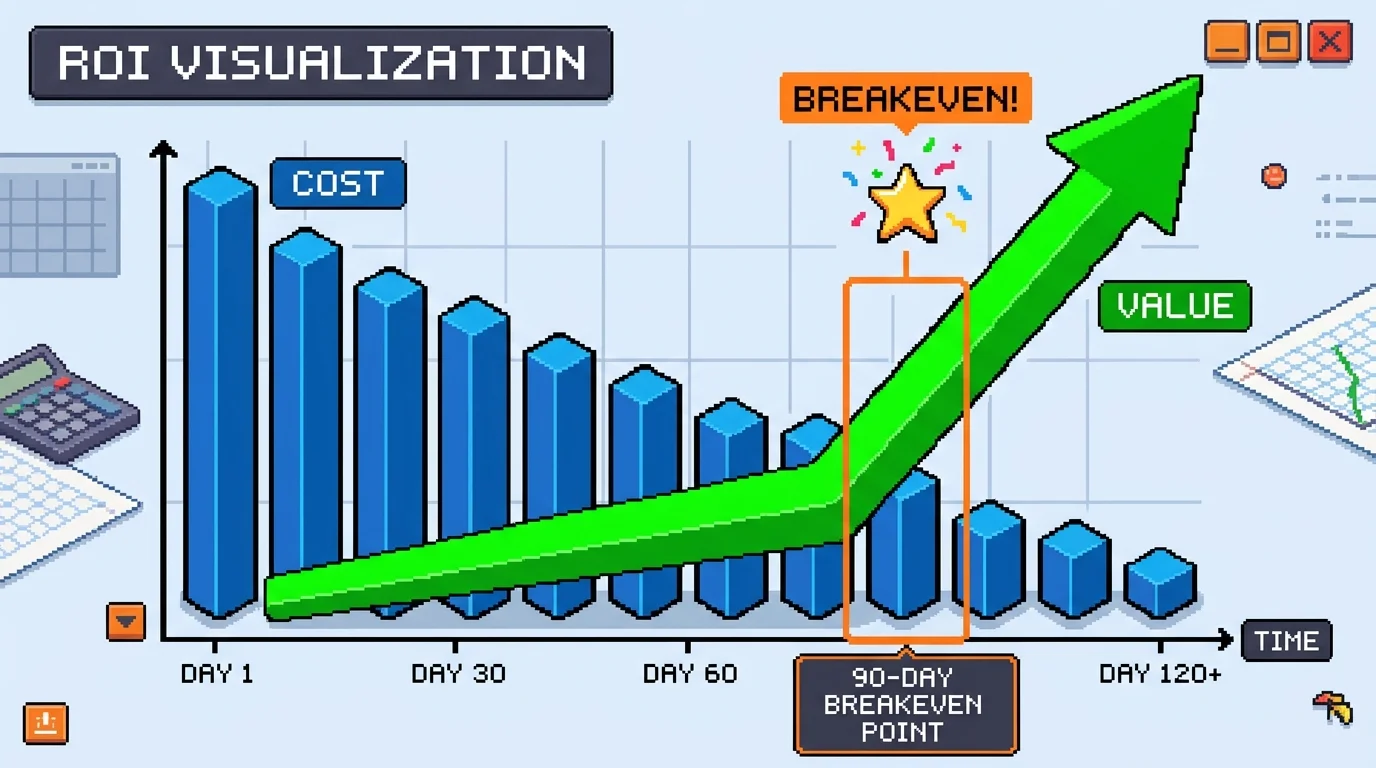
The real financial case emerges when you calculate time savings. Staff hours spent on administrative tasks drop by 40–60% after portal implementation, representing $5,000–$8,000 in reclaimed billable time per employee annually (at $40/hour). A marketing agency that moved creative approvals into a branded portal cut campaign launch delays by 30%, directly increasing billable project throughput. Most firms see ROI within 90 days once cycle-time analytics are tracked.
Agency Size
Monthly Cost
Annual Investment
Reclaimed Hours/Year
Billable Value
Small (5–10 clients)
$50–150
$600–1,800
200–300
$8,000–12,000
Mid-size (20–50 clients)
$300–800
$3,600–9,600
400–600
$16,000–24,000
Hidden costs deserve attention: integration setup ($500–$2,000), data migration ($1,000–$5,000), and staff training (20–40 hours). Custom development for tailored workflows runs $10,000–$50,000 but eliminates vendor lock-in. When evaluating options, compare total cost of ownership over 24 months, not just monthly fees. For agencies building custom portals with payment automation, the investment typically pays for itself through faster billing cycles and reduced churn.
Choosing Your Portal: Final Decision Framework
The decision ultimately hinges on a single question: Does your agency need faster approvals, better client visibility, and scalable management? If yes—and most growing agencies do—a client portal for agencies becomes a strategic necessity, not a luxury.
Your three paths are clear. Pre-built platforms (Basecamp, Notion, Asana) work best if your workflows are standard and you value speed to launch. Setup takes weeks, not months, and costs remain predictable. Custom-built portals suit agencies with unique approval chains, specialized integrations, or white-label requirements—they eliminate vendor lock-in and adapt as you grow, though upfront investment runs $10,000–$50,000. Hybrid approaches blend templated solutions with light customization, balancing flexibility and cost.
The ROI math is compelling: agencies reclaim 40–60% of administrative time after implementation, translating to $8,000–$24,000 in billable value annually depending on size. Acquiring new clients costs 5 to 25 times more than retaining existing ones, according to Leadsie—and a polished portal directly improves retention by reducing friction and building trust.
Next step: Audit your current workflow, map approval bottlenecks, and list non-negotiable features. If you're building custom, partner with a development team experienced in client-facing platforms. If you're evaluating off-the-shelf, run a two-week free trial with your team before committing.
The portal that wins is the one you'll actually use—and that your clients prefer over email threads.
Article FAQ
Practical next steps
Who is this startup guide for?
This guide is written for non-technical founders, operators, and small teams who need to make product decisions before hiring a full engineering team. It focuses on practical scope, cost, timeline, and execution trade-offs rather than abstract startup theory.
What should I do after reading this article?
Turn the idea into a small decision: validate the riskiest assumption, estimate the build scope, and decide whether the first version should be no-code, custom code, or a hybrid. Shipkit's free estimate and MVP scope builder can help you translate the article into a concrete plan.
Can Shipkit help implement this kind of product?
Yes. Shipkit helps founders turn validated ideas into fixed-scope MVPs, SaaS products, internal tools, marketplaces, and AI-enabled workflows. The best starting point is to get an estimate or compare your build path before committing budget.