Building a RAG App for Founders: Complete Guide to AI Document Assistants
Alex
··15 min read
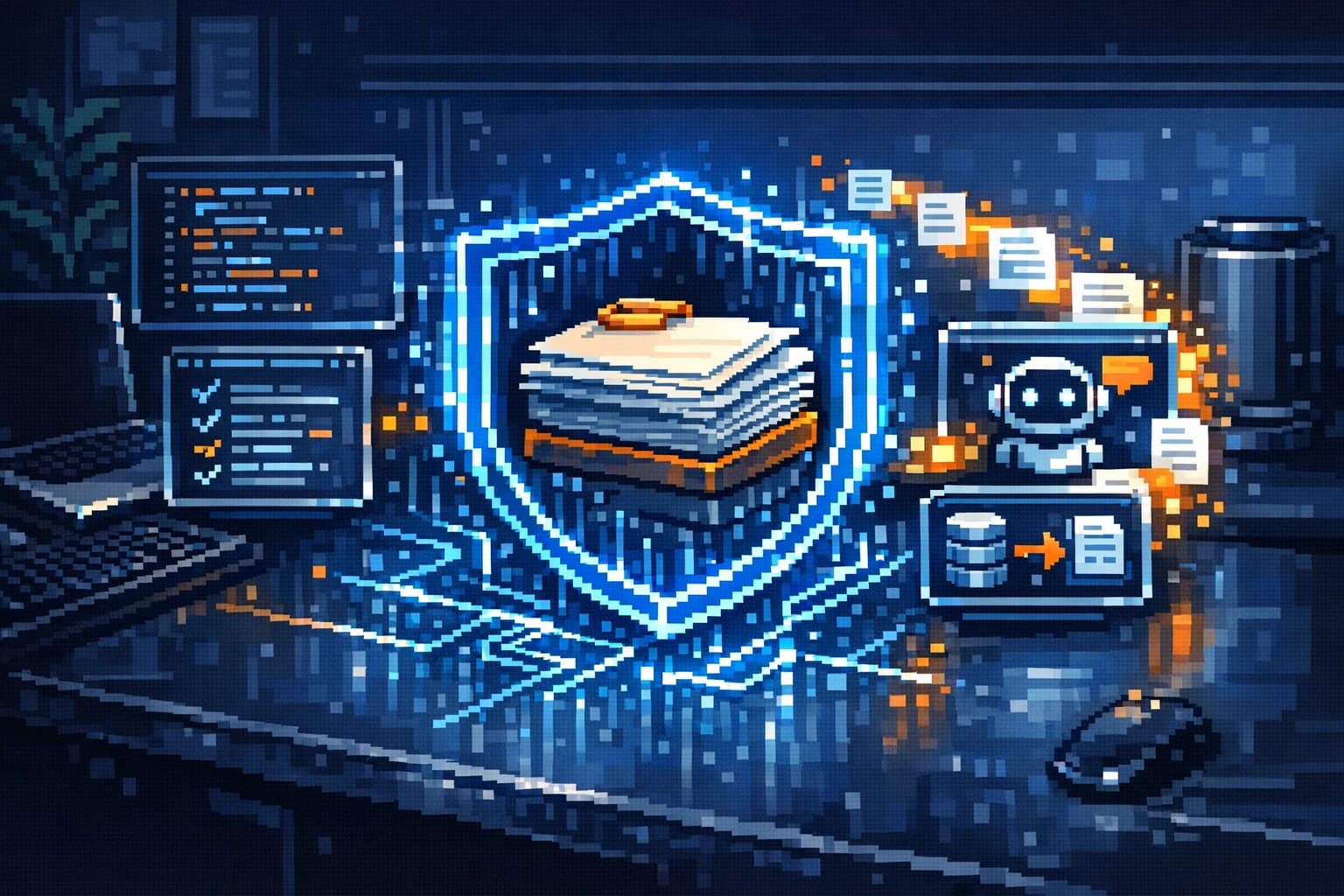
A RAG app—short for Retrieval-Augmented Generation—is an AI system that combines your own documents with large language models to create a private knowledge base assistant. Instead of relying on generic AI trained on the public internet, a RAG app lets you feed it your company's specific documents, processes, and data, then ask questions and get answers grounded in your information. For founders, this means building a knowledge assistant that works with your proprietary content without exposing sensitive data to external APIs.
Quick Answer: RAG apps let you create a private AI knowledge base assistant by connecting your documents directly to an AI model. The primary benefit: your team gets instant answers from company documents while keeping all data under your control. Unlike general-purpose AI, a RAG app understands your specific business context and only references information you've uploaded.
Why does this matter? Most founders struggle with knowledge silos—information scattered across Slack, Google Drive, Notion, and email. A well-built RAG app becomes your centralized document Q&A system, answering employee questions instantly and reducing time spent searching. This guide walks you through understanding RAG architecture and building one without deep technical expertise, showing you how to ship a working prototype fast and scale it as your business grows.
Why Founders Should Consider RAG for Product Development
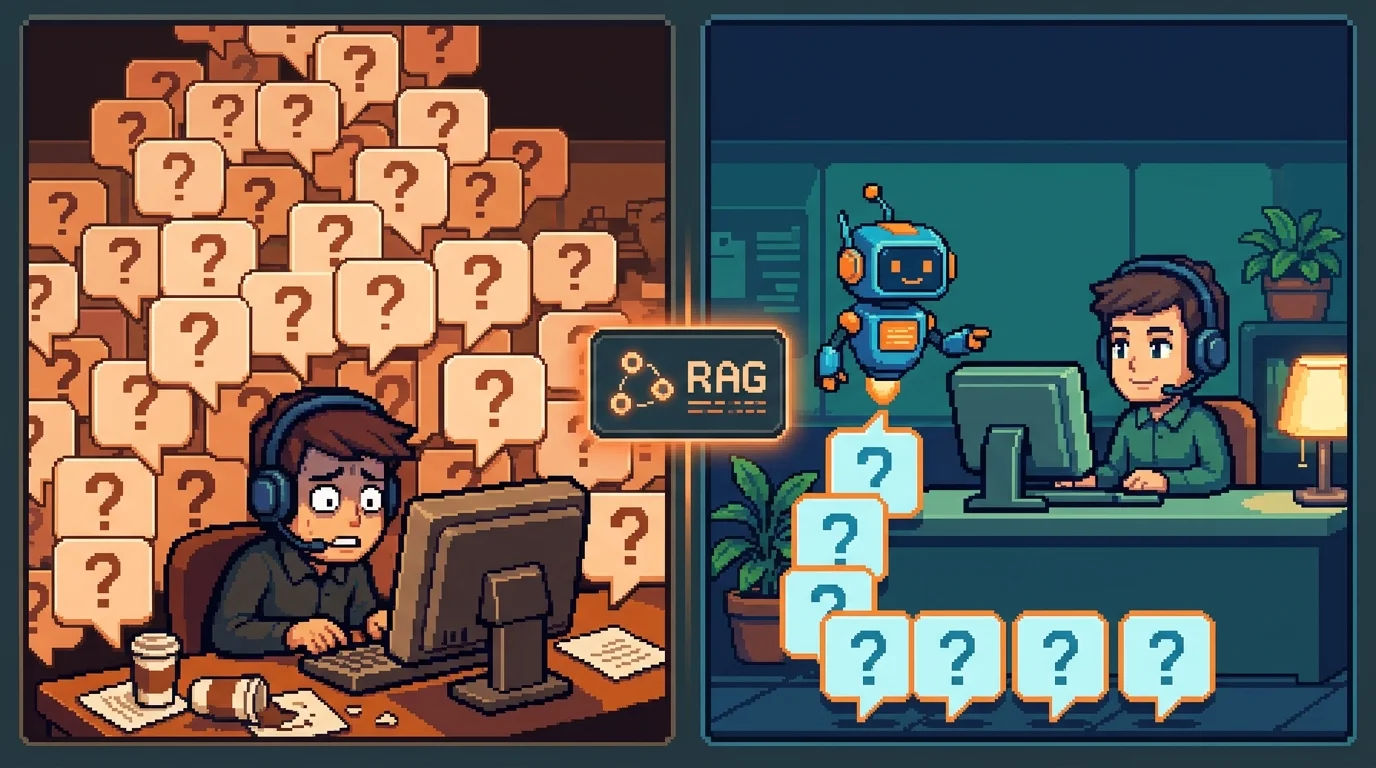
Building a startup means wearing every hat—including customer support, onboarding, and knowledge management. As your team grows, the cost of scaling support staff balloons, and keeping information consistent across channels becomes a nightmare. This is where a RAG app changes the equation.
RAG systems address a core founder problem: knowledge fragmentation. Your product documentation lives in one place, customer FAQs in another, internal policies scattered across Slack and email. When a customer asks a question, your support team spends time searching instead of solving. When a new hire joins, they waste days digging through documents to understand how things work. According to research from Second Talent, organizations implementing RAG report 40% faster information discovery—meaning your team finds answers instantly rather than hunting through archives.
The business case becomes clearer when you consider scaling. Hiring a dedicated support person costs $30,000–$50,000+ annually. A RAG app, once built, answers routine questions automatically. Your team handles edge cases and complex issues—the work that actually requires human judgment. This isn't about replacing people; it's about redirecting their effort toward higher-value work.
For early-stage products, RAG solves three immediate problems: customer support at scale (answering common questions from documentation without hiring more staff), faster onboarding (new employees and customers self-serve through your knowledge base), and proprietary knowledge protection (unlike ChatGPT, your company data never leaves your servers). When you're competing against well-funded rivals, having a responsive, intelligent assistant that understands your specific product and policies gives you a competitive edge founders can't ignore.
Solving the Documentation and Support Scaling Challenge
Most founders underestimate how much time documentation consumes. You write a help article, but customers still email with the same question. You update your onboarding guide, yet new hires ask for clarification. A RAG app flips this dynamic—it becomes your tireless documentation engine, answering questions 24/7 without fatigue or inconsistency.
The scaling advantage is real. As your user base grows from 100 to 10,000, your support volume doesn't scale linearly if customers can self-serve through an intelligent Q&A system. You maintain quality (answers come directly from your official docs, not generic AI hallucinations) while your support team focuses on complex cases that require creativity and empathy. For policy and SOP documentation, a RAG assistant ensures every employee gets the same accurate answer, eliminating the "I heard from someone that..." problem that plagues growing teams.
Keeping Proprietary Knowledge Secure and Accessible
Unlike public AI assistants, a RAG app keeps your competitive secrets locked down. Your product roadmap, pricing strategy, customer lists, and internal processes never touch external servers. This matters for compliance (healthcare, finance, legal firms), competitive advantage (SaaS companies protecting their moat), and trust (customers knowing their data stays private).
Simultaneously, RAG makes knowledge instantly accessible. Employees and customers ask questions in natural language and get answers grounded in your documents—not generic internet knowledge. This dual benefit—security plus usability—is why 71% of early GenAI adopters are already implementing RAG to ground their models. For a founder building an MVP or scaling a young SaaS, this is the sweet spot: you get AI intelligence without the privacy risk or hallucination problem of general-purpose chatbots.
How RAG Apps Work: A Founder's Technical Overview
Think of a RAG system as a librarian paired with a brilliant but forgetful colleague. The librarian (retrieval layer) finds the exact book you need from your private collection. Your colleague (the language model) then reads that book and answers your question based only on what's written there—never making things up or pulling from random internet knowledge. This three-step process—document ingestion, retrieval, and generation—is what makes RAG powerful for founders building private AI assistants for company documents.
Document Ingestion and Embedding
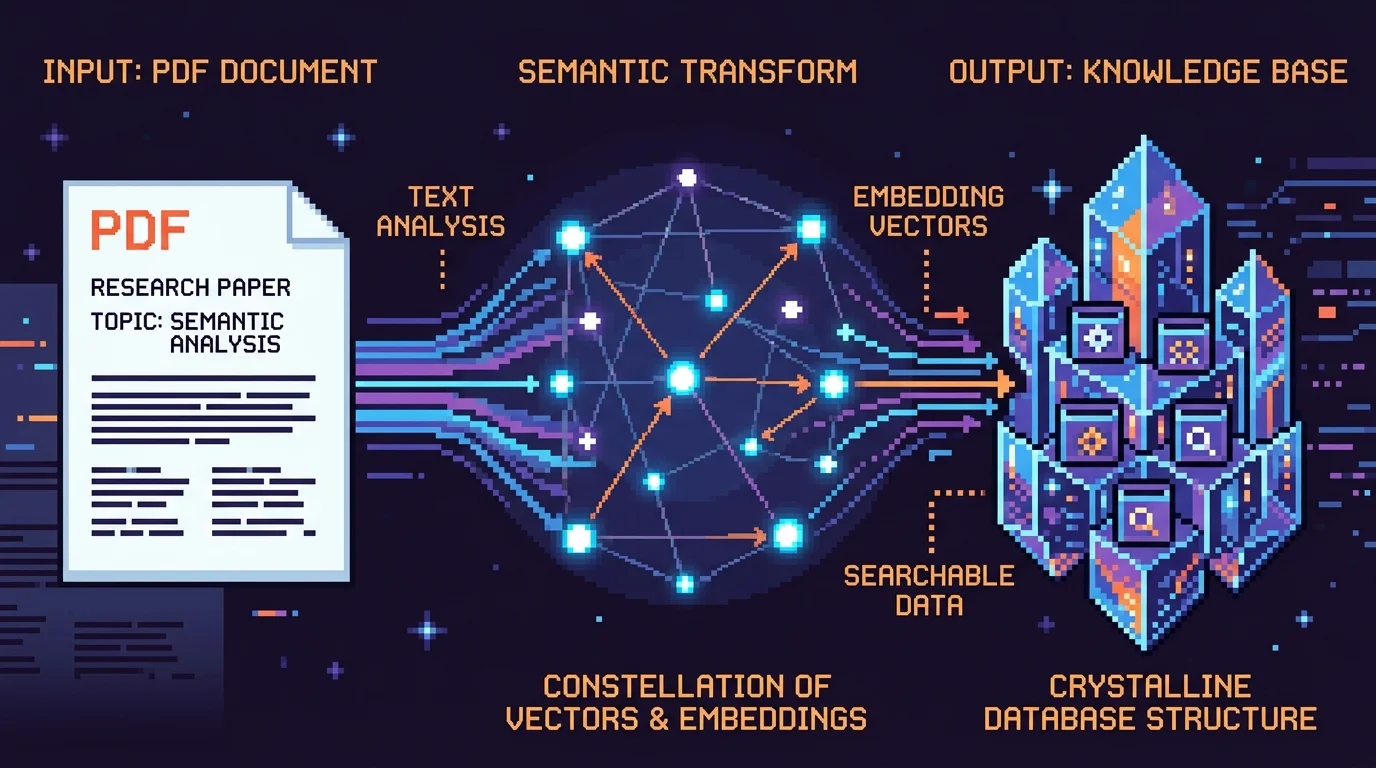
When you upload documents to a RAG system, they don't stay as PDFs or Word files. Instead, the system converts text into numerical representations called embeddings—think of them as semantic fingerprints. Each sentence or paragraph gets transformed into a vector (a list of numbers) that captures its meaning. These vectors live in a vector database, a specialized storage system optimized for similarity searches.
This conversion happens automatically and requires zero technical setup from you. You upload documents, the system handles the rest. The key benefit: embeddings let the system understand meaning, not just keyword matching. A question about "how do we handle refunds?" will find your return policy document even if you never used the word "refund" in the policy itself. This semantic understanding is what separates RAG from simple search-and-replace tools.
Retrieval and Generation: The RAG Pipeline
When a user or employee asks a question, the system converts that question into an embedding using the same method. It then searches the vector database for the most similar documents—the "relevant" ones. This retrieval step is lightning-fast and accurate because vectors make similarity measurable mathematically.
Once relevant documents are found, they're fed into a large language model (like GPT-4) alongside the user's question. The model generates an answer grounded entirely in those documents. Critically, the system cites its sources—you see exactly which document sections informed the answer. According to research from Ment Tech Labs, RAG systems deliver 70-90% reduction in hallucination rates versus standard LLMs, meaning you get accurate answers without the "confident nonsense" problem that plagues generic chatbots.
This architecture also enables role-based access control. You can restrict which documents certain employees or customers see, building a private AI assistant that respects your organizational boundaries. A customer success team member sees only public-facing documentation; an engineer sees internal architecture docs. The same system, different knowledge bases per user.
Key Features Every Founder Should Demand in a RAG App
When evaluating a RAG solution—whether you're building one or selecting an off-the-shelf platform—certain capabilities separate a genuinely useful document assistant from a flashy prototype that falls apart under real-world pressure. These features directly impact product quality, user trust, and your ability to scale without legal or compliance headaches.
Source Citations and Accuracy Guarantees
A RAG app that doesn't show its sources is just a fancy chatbot wearing a disguise. When your customer success team uses the system to answer a client question, or when an employee relies on it for internal documentation, they need to see exactly which document sections informed the answer. This citation layer does two critical things: it builds user confidence (people trust answers they can verify), and it creates accountability (you can audit where information came from if something goes wrong).
Without source citations, you're back to the hallucination problem that plagues generic LLMs. A user asks a question, gets an answer, and has no way to validate whether it's actually in your knowledge base or whether the model just invented something plausible-sounding. For founders building products where accuracy matters—customer support, compliance documentation, internal training—this is a deal-breaker. The system should highlight the exact passages it pulled from, ideally with links back to the original documents.
Security, Access Control, and Compliance
Your RAG app will eventually contain sensitive information: proprietary processes, customer data, financial records, or internal strategy documents. A secure RAG app for internal teams means you can control who sees what without maintaining separate knowledge bases or manually redacting documents.
Role-based access control lets you define permissions at the document level. A customer-facing support agent sees only public documentation. An engineer sees internal architecture and code comments. A finance team member sees budget and revenue data. The same underlying system, different knowledge bases per user role. This prevents accidental leaks and keeps your product compliant with data governance policies.
Beyond access control, demand audit logs. Every query, every document accessed, every answer generated should be logged with timestamps and user identifiers. If a compliance officer asks "who accessed this sensitive document and when?", you need answers. Audit trails also catch misuse—if someone is querying documents outside their role, you'll see it.
Encryption in transit and at rest should be non-negotiable. Your documents are stored on someone's servers; they need to be encrypted so that even a data breach doesn't expose raw content. And if you're handling regulated data (healthcare, financial services, PII), the system should support compliance frameworks like SOC 2, HIPAA, or GDPR without requiring custom engineering.
Feature
Why It Matters for Founders
Red Flag if Missing
Source Citations
Builds user trust; enables verification and auditing
Answers appear without document references
Role-Based Access Control
Protects proprietary data; scales securely across teams
All users see all documents regardless of role
Multi-Document Support
Lets you ingest PDFs, Word docs, web pages, databases in one system
Only supports one file format or requires manual conversion
Audit Logs
Proves compliance; catches unauthorized access
No record of who queried what or when
Integration with Existing Tools
Reduces friction; embeds RAG into workflows teams already use
Requires teams to switch tools or manually copy-paste questions
The ability to ingest multiple document types—PDFs, Word documents, web pages, even database records—matters more than it sounds. You don't want to spend engineering time converting everything to a single format. A production-ready RAG app should handle heterogeneous inputs and normalize them into a unified knowledge base behind the scenes.
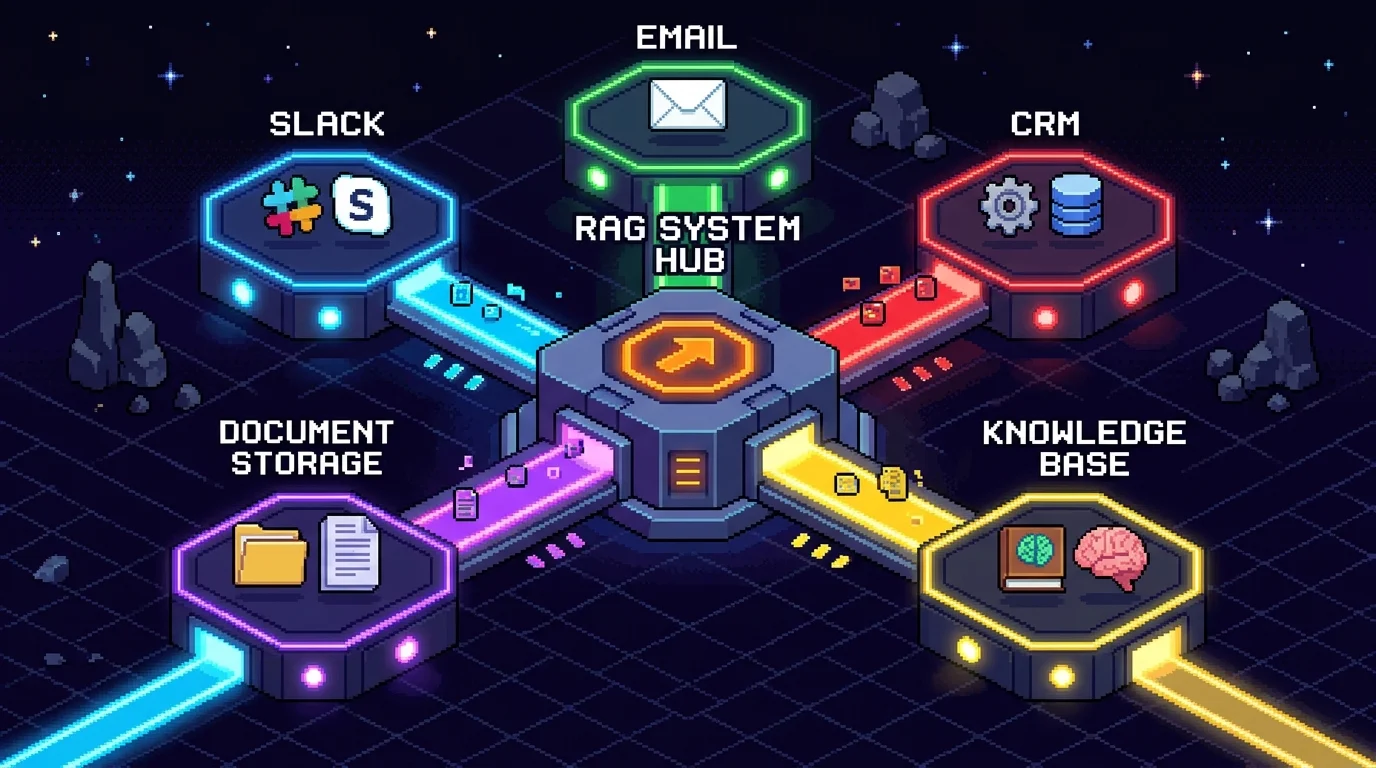
Integration with tools your team already uses—Slack, email, internal wikis, project management platforms—determines whether the RAG app becomes a daily habit or gathers dust. If your support team has to leave their ticketing system, open a separate web interface, paste the question, and copy the answer back, adoption dies. If the RAG app lives inside Slack as a bot or inside your CRM as a sidebar, it becomes invisible infrastructure that just works.
When you're building an internal tool for your startup, these features aren't luxuries—they're the foundation of a system that scales with your team without creating new security or compliance problems.
Building vs. Buying: The RAG App Decision Framework
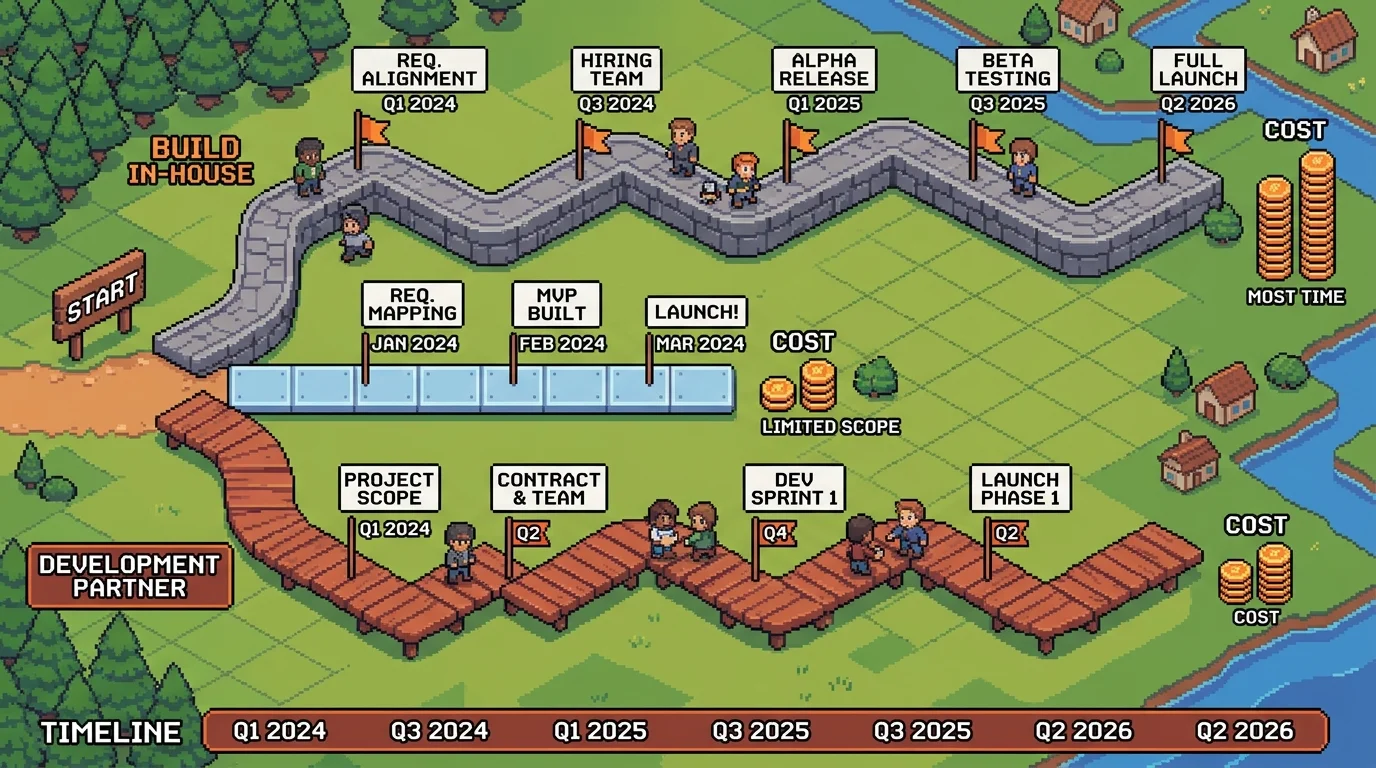
The decision to build, buy, or partner for your RAG app hinges on four variables: timeline, budget, customization depth, and your team's technical capacity. There's no universal answer—but there are clear trade-offs that founders often misjudge.
Off-the-shelf RAG platforms (like LangChain, LlamaIndex, or managed services) promise speed and lower upfront cost. They work well if your document types are standard, your query patterns are predictable, and you don't need deep integration with proprietary systems. The catch: you're locked into their architecture, limited by their feature set, and paying recurring fees that compound over time. A no-code RAG builder might cost $200–$500 per month, but you're renting, not owning.
Building in-house sounds appealing until you calculate the real cost. A junior engineer spending 12–16 weeks on a RAG system costs $30,000–$60,000 in salary alone, plus infrastructure, vector database hosting ($25–$70/month), LLM API calls, and ongoing maintenance. You're also absorbing the risk of technical debt and the opportunity cost of that engineer not building customer-facing features.
Partnering with a development team—whether an agency or technical co-founder alternative—compresses timeline and transfers risk. According to industry benchmarks, a production-ready RAG MVP costs between $40,000 and $100,000, with typical development timelines of 4–8 weeks for basic implementations. You get a fully owned codebase, integrated with your existing tools (Slack, email, CRM), and built to your exact specifications. The upfront cost is higher, but you own the infrastructure and avoid the hidden costs of in-house maintenance.
When to Build In-House vs. Partner with a Development Team
Build in-house only if: you have a senior engineer available, timeline is flexible (12+ weeks), and the RAG system is your core product—not a supporting tool. The advantage is deep customization and no external dependencies.
Partner with a development team if: you need production-ready code in 4–8 weeks, your RAG app is an internal tool or customer-facing feature (not your main product), and you want to avoid hiring and managing engineers. This is especially true for non-technical founders building without a technical co-founder—a development partner handles the entire technical stack, from document ingestion to API deployment, while you maintain 100% code ownership.
From MVP to Scaled RAG Application
Start lean: your MVP should ingest 50–200 core documents, answer questions in a single domain, and integrate with one primary tool (Slack or email). This takes 4–6 weeks and costs $40,000–$60,000. Measure adoption and user satisfaction before expanding.
Scale incrementally: add multi-document types, expand to new knowledge domains, and integrate with additional platforms (CRM, ticketing system, internal wiki) as demand grows. Each expansion phase takes 2–4 weeks and costs $10,000–$20,000. This phased approach keeps you lean early and prevents over-engineering features users don't need.
Decision Factor
Build In-House
No-Code Platform
Development Partner
Timeline
12–16 weeks
2–4 weeks
4–8 weeks
Upfront Cost
$30K–$60K (salary)
$2K–$5K
$40K–$100K
Monthly Ops Cost
$2K–$4K
$200–$500
$500–$2K
Code Ownership
Yes
No
Yes
Customization
Unlimited
Limited
Unlimited
Maintenance Burden
High
Low
Low
Real-World RAG Applications for Startup Founders
The difference between a RAG app that stays in your backlog and one that transforms your business comes down to solving real problems your team faces every day. The most successful implementations aren't flashy—they're boring in the best way possible, quietly eliminating friction that costs you time and money.
Customer Support and Knowledge Base Automation
Your support inbox is a symptom of a larger problem: customers can't find answers themselves, so they ask you. A RAG-powered chatbot changes this dynamic by letting customers query your product documentation, help articles, and FAQs through natural conversation. Instead of waiting for a human response, they get instant answers grounded in your actual docs—no hallucinations, no generic responses.
According to research from Pylon, AI-powered support chatbots can reduce first response time by up to 97%, dropping from 15 minutes to 23 seconds, while achieving 50% automated resolution rates. Beyond speed, companies report up to 70% reduction in total support inquiries after implementing virtual customer assistants. For a founder managing support alone or with a small team, this means fewer interruptions, more time on product, and happier customers who get answers immediately. An AI chatbot for PDF documents and knowledge bases becomes your always-on support agent, handling routine questions while your team focuses on complex issues that actually need human judgment.
Internal Operations: Policies, SOPs, and Onboarding
New hires shouldn't spend their first week asking "where's the policy on X?" or digging through Slack history for procedures. A document Q&A app for business—deployed internally—lets team members ask natural questions about company policies, standard operating procedures, compliance requirements, and onboarding steps. "What's our refund policy?" or "How do I request time off?" gets answered instantly from your actual documentation.
This solves two founder headaches at once: it reduces onboarding time from days to hours, and it ensures consistency. Everyone's working from the same source of truth instead of relying on outdated emails or tribal knowledge. For distributed teams especially, this becomes invaluable—your handbook becomes searchable, conversational, and actually useful rather than a document nobody reads.
Taking Action: Your Next Steps Toward a RAG-Powered Product
The path forward isn't complicated—it's about starting small and proving value before scaling. Begin by identifying which documents or knowledge bases would benefit most from RAG: customer support FAQs, internal policies, product documentation, or onboarding materials. Pick one category where support tickets pile up or where your team wastes time answering repetitive questions. That's your MVP target.
Next, define success metrics before you build anything. What does winning look like? Fewer support tickets? Faster employee onboarding? Reduced time-to-answer for customer questions? Measure your baseline now—how many support emails arrive weekly, how long does new-hire training take—so you can quantify the improvement RAG delivers.
Then evaluate your options honestly. Building in-house demands AI expertise and 8–12 weeks. Buying off-the-shelf tools is fast but may not fit your product. Partnering with a development team that specializes in AI products splits the difference: you get production-ready RAG integrated into your product without hiring, and you own the code from day one. For founders without a technical co-founder, this partnership model eliminates the biggest bottleneck—you stay focused on customers while the technical execution happens in parallel.
Start with an MVP: one document type, basic search, simple interface. Get it live in weeks, not months. Learn what users actually need, then expand. You don't need to become an AI expert. You need a partner who can deliver a working RAG app quickly and integrate it seamlessly into your product.
This guide is written for non-technical founders, operators, and small teams who need to make product decisions before hiring a full engineering team. It focuses on practical scope, cost, timeline, and execution trade-offs rather than abstract startup theory.
What should I do after reading this article?
Turn the idea into a small decision: validate the riskiest assumption, estimate the build scope, and decide whether the first version should be no-code, custom code, or a hybrid. Shipkit's free estimate and MVP scope builder can help you translate the article into a concrete plan.
Can Shipkit help implement this kind of product?
Yes. Shipkit helps founders turn validated ideas into fixed-scope MVPs, SaaS products, internal tools, marketplaces, and AI-enabled workflows. The best starting point is to get an estimate or compare your build path before committing budget.